
Welcoming a newborn home is one of the most rewarding yet anxiety-inducing experiences for parents in the Philippines. Among the array of modern nursery technology, baby heartbeat monitors—more accurately described as infant vital sign monitors—have emerged as popular tools to help ease parental worry. These devices offer real-time tracking of a baby’s physiological signals during sleep, providing updates directly to a smartphone or a dedicated base station.
However, navigating the market can be overwhelming due to the variety of technologies, brands, and safety considerations involved. Choosing the right device requires a clear understanding of how these monitors function, what they can realistically achieve, and how they fit into your daily parenting routine. This guide is designed to help you evaluate the available options, understand their technical limits, and make an informed decision that prioritizes your baby’s safety and your peace of mind.
Quick Guide: Understanding Baby Heartbeat and Vital Monitors
To make an informed purchase, it is essential first to clarify what these devices are and what they are designed to do. Postnatal baby vital monitors do not just track a heartbeat; depending on the model, they monitor a combination of heart rate, blood oxygen saturation levels (SpO2), skin temperature, and physical breathing movements. They are designed to alert parents if these metrics fall outside of pre-set normal ranges during sleep.
Products mentioned in this guide
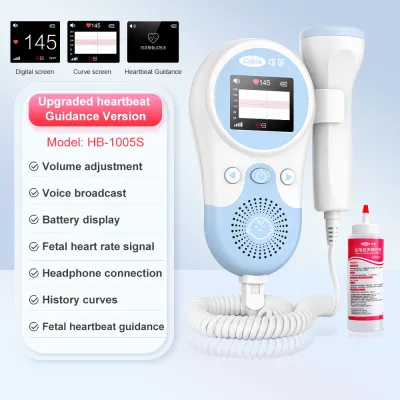
![[FREE GEL] Fetal Doppler Heartbeat Detector Portable Ultrasound Pregnant LCD 3MHz Baby Heart Rate Mo](https://img.lazcdn.com/g/p/888be6082d56e876bdaaab7f630ad699.jpg_400x400q80.jpg_.webp)
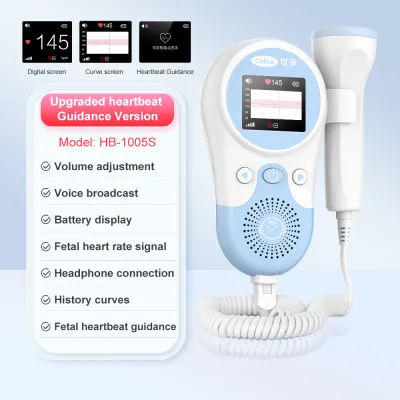

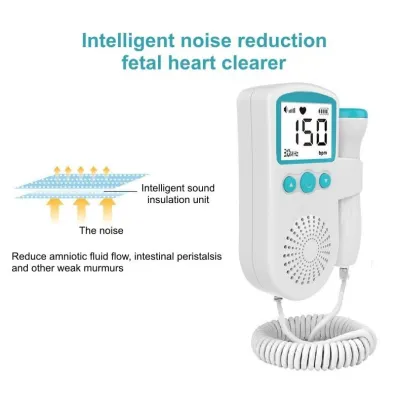
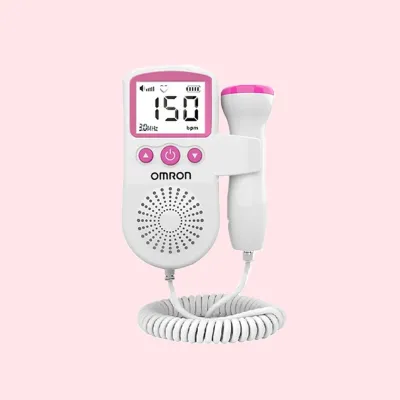


Prices are valid at publication and may change. Please refer to the product page for the latest price.
It is crucial to distinguish these postnatal nursery monitors from prenatal fetal dopplers. Prenatal dopplers are handheld ultrasound devices used by expectant parents during pregnancy to listen to the fetal heartbeat inside the womb. This guide focuses exclusively on postnatal monitors used for infants after birth. These nursery devices are intended to assist caregivers in keeping watch over a sleeping baby in their crib.
Parents must also establish realistic expectations before purchasing. These monitors are consumer wellness products, not clinical-grade medical equipment. While they offer convenient tracking and reassurance, they do not replace professional medical supervision, regular pediatric checkups, or direct parental observation. Recognizing this distinction is the first step toward using these tools safely and effectively in your home.
Comparing the Main Types of Baby Heartbeat Monitors
Infant vital monitors generally fall into two primary design categories: physical wearables and non-contact ambient sensors. Each design has distinct technical mechanisms, advantages, and operational challenges that will affect your daily experience.

Wearable Smart Socks and Ankle Bands
Wearable monitors typically consist of a soft fabric sock, bootie, or ankle band equipped with a small, lightweight sensor. This sensor utilizes pulse oximetry technology, which is the same method used in hospitals. The device shines a safe, low-intensity red and infrared light through the baby’s skin to measure blood flow changes, calculating both the heart rate and oxygen saturation levels.
- Pros: Because the sensor maintains direct, continuous contact with the baby's skin, it generally provides highly consistent and accurate readings. This direct contact makes wearables highly reliable for active sleepers who frequently wriggle, roll over, or shift positions under their bedding.
- Cons: Wearables require strict adherence to sizing and placement guidelines. If the band is wrapped too tightly, it can restrict blood circulation or cause localized pressure marks; if it is too loose, the sensor will lose contact, leading to frequent false alarms. Additionally, in the warm and humid tropical climate of the Philippines, sweat can easily accumulate under the fabric or silicone band, increasing the risk of skin chafing and heat rashes. Caregivers must commit to regular cleaning and rotating the device between the baby's feet.
Non-Contact Sensors and Breathing Wearables
Non-Contact monitors are designed to track your baby’s vitals without requiring a sensor to be attached directly to their skin. This category includes high-definition smart cameras that use advanced computer-vision algorithms to detect the micro-movements of a baby’s chest as they breathe. Some of these systems require the baby to wear a specialized swaddle, sleeping sack, or chest band printed with high-contrast geometric patterns that the camera tracks. Other non-contact systems utilize pressure-sensitive mattress pads placed underneath the crib sheet to detect physical vibrations from the baby’s breathing.
- Pros: The primary benefit of non-contact systems is the complete elimination of skin irritation, pressure marks, or sweat rashes. This makes them an excellent alternative for infants with highly sensitive skin, eczema, or those who find wearable bands uncomfortable. They also eliminate the daily chore of charging and washing a wearable accessory.
- Cons: Non-contact monitors are highly sensitive to environmental variables and bedding choices. For example, if you use a fine-mesh mosquito net over the crib—a common and necessary practice in many Philippine households to protect infants from dengue and mosquitoes—the netting can obstruct the smart camera's line of sight, rendering the computer-vision tracking ineffective. Similarly, heavy swaddles, loose clothing, or a mattress that is too soft or too firm can damp the physical vibrations or visual cues, leading to inaccurate readings or false alarms.
Key Features to Evaluate Before You Buy
When comparing different brands and models on online marketplaces or at specialty baby boutiques, focusing on hardware specifications and software usability will help you find a reliable device.
Alert Customization
One of the most important software features is the ability to customize and manage alerts. Some monitors use fixed, factory-set thresholds for low heart rate or low oxygen levels, while others allow parents to adjust these boundaries within safe limits. A high-quality monitor should feature a progressive alert system—using gentle, low-priority notifications for minor issues (like a loose sock) and distinct, high-decibel alarms for critical vital drops. This differentiation helps prevent panic and allows you to respond appropriately to the situation.
Connectivity and App Ecosystem
Understanding how a monitor processes and transmits data is critical for daily reliability. Some monitors rely entirely on a local Wi-Fi network to send data from the sensor to a cloud server, which then pushes notifications to your smartphone app. Other systems utilize a dedicated local base station that communicates directly with the wearable sensor via Bluetooth or low-frequency radio waves.
Given that internet connections can be inconsistent or drop entirely during heavy rains and tropical storms in the Philippines, a system with a local base station is highly advantageous. The base station acts as a physical alarm hub in the nursery, ensuring that if your baby’s vitals drop, a physical alarm will sound in your home even if your internet connection is completely down.
Battery Life and Charging
For wearable monitors, battery performance directly dictates how easily the device fits into your daily routine. Look for sensors that offer fast-charging capabilities—ideally reaching a full charge within one to two hours—so you can easily recharge the battery during the baby’s supervised daytime awake hours. Additionally, verify if the base station features a built-in backup battery. In regions prone to sudden power fluctuations or rotating brownouts, a base station with battery backup ensures continuous monitoring throughout the night.
Nursery Integration
Consider whether you prefer a standalone vital tracker or an integrated smart nursery ecosystem. Standalone monitors focus solely on vitals and can easily run alongside your existing audio or video baby monitor. Integrated systems combine a video camera, room temperature sensor, humidity tracker, and vital monitor into a single app. While integrated systems offer the convenience of viewing all nursery data in one place, they also represent a single point of failure; if the main unit or the app experiences a technical glitch, you may lose access to all monitoring functions simultaneously.
Crucial Safety Limits and Medical Disclaimers
While baby vital monitors can offer valuable peace of mind, they must be used with a clear understanding of their safety limitations. Caregivers must never view these devices as a substitute for safe sleep practices or professional medical care.
First and foremost, consumer baby monitors are not FDA-approved medical devices. They are classified as consumer wellness products. Manufacturers are legally prohibited from claiming that these devices can diagnose, treat, cure, or prevent any medical condition. Crucially, clinical studies have shown that consumer monitors cannot prevent Sudden Infant Death Syndrome (SIDS). Relying on a monitor to keep your baby safe while neglecting basic sleep safety protocols poses a severe risk.
To ensure your baby’s safety, always adhere strictly to the medically established ABCs of safe sleep:
- A – Alone: The baby should always sleep alone in their own crib or co-sleeper. Keep the sleep surface completely free of loose items, including pillows, stuffed toys, quilts, bumper pads, and loose blankets, which pose suffocation and strangulation hazards.
- B – On their Back: Always place your baby on their back to sleep for every sleep period, including daytime naps. Sleeping on the stomach or side significantly increases the risk of airway obstruction.
- C – In a Crib: Use a safety-approved crib, bassinet, or playpen with a firm, flat mattress covered only by a tight-fitting sheet. Avoid placing babies to sleep on adult beds, sofas, waterbeds, or soft cushions.
Caregivers should also be prepared for the psychological impact of “false alarms.” No consumer sensor is perfect, and occasional false alerts due to a shifted sock, a rolling baby, or a temporary local signal drop are inevitable. These alarms can trigger intense, sudden spikes in parental anxiety. If you find that using a monitor causes constant hyper-vigilance, sleep deprivation, or severe anxiety rather than reassurance, it may be beneficial to re-evaluate whether the device is truly helping your family.
Finally, physical safety requires regular, active inspection. When using wearable smart socks or bands, check your baby’s skin daily. Look closely for any signs of redness, localized swelling, pressure indentations, or sweat rashes. To minimize these risks, ensure the foot is completely dry before applying the sensor, use the correct size band recommended for your baby’s weight, and rotate the device to the opposite foot every night. If you observe any persistent skin irritation, redness, or broken skin, stop using the wearable device immediately and consult your pediatrician for guidance.
Practical Buying Tips for Shoppers in the Philippines
When you are ready to purchase a baby vital monitor, navigating local retail options and technical specifications carefully will ensure you receive a genuine, safe, and fully functional product.
Authorized Channels
Because baby vital monitors contain highly sensitive optical and motion sensors, purchasing genuine hardware is critical. Avoid buying heavily discounted units from unverified parallel importers or third-party sellers on online marketplaces. These units may be counterfeit, refurbished, or lack proper quality control. Instead, source your device directly from official brand flagship stores, authorized local distributors, or reputable physical baby boutiques. Buying through official channels guarantees that you receive authentic hardware with untampered firmware.
Power and Hardware Compatibility
Many premium baby monitors are manufactured for North American or European markets, meaning their included power adapters are designed for 110V electrical grids or specific foreign plug shapes. The standard electrical grid in the Philippines operates at 220V and 60Hz. Before purchasing, verify that the monitor’s power adapter is dual-voltage (labeled with an input range of “100-240V”).
Additionally, check that the power adapter is compatible with local outlet types, which are typically Type A or Type B. Avoid relying on cheap, ungrounded multi-plug adapters or heavy step-down transformers, as these can introduce electrical noise that interferes with the monitor’s sensitive electronics, or worse, pose an electrical fire hazard in the nursery.
Warranty and Support
Technical issues, app bugs, and hardware wear-and-tear are common over months of continuous daily use. Before finalizing your purchase, confirm whether the seller or local distributor honors the manufacturer’s warranty within the Philippines. Shipping a malfunctioning sensor or base station back to an international service center in the United States or Europe is often prohibitively expensive and can leave you without a monitor for weeks. Choosing a brand with an active local distributor ensures you have access to prompt customer support, app troubleshooting assistance, and local replacement parts.
Return Policies
Because wearable monitors rely heavily on a precise fit to function correctly, your baby’s unique foot shape and rapid growth rate will dictate how well a specific model works. Before buying, carefully review the retailer’s return and exchange policies. Many baby boutiques have strict hygiene policies that prohibit the return of opened or used baby items. Look for retailers that offer a clear exchange window or allow you to return the product if the wearable component is incompatible with your newborn’s size, ensuring you do not end up with an expensive, unusable device.
Frequently Asked Questions (FAQ)
Can a baby heartbeat monitor prevent SIDS?
No, consumer baby heartbeat and vital monitors cannot prevent SIDS. These devices are designed solely as wellness trackers to alert parents to physiological changes; they do not have any preventative or therapeutic capabilities. The most effective way to reduce the risk of SIDS is to strictly follow medically established safe sleep guidelines, such as placing your baby to sleep alone, on their back, in a bare crib, and maintaining a smoke-free environment. If you have specific concerns about your baby’s breathing or cardiovascular health, consult a pediatrician.
Are wearable smart socks safe for a newborn's delicate skin?
Wearable smart socks are generally safe for a newborn’s skin when used strictly according to the manufacturer’s instructions. However, because a newborn’s skin is exceptionally thin and sensitive, caregivers must take precautions to prevent irritation. Always ensure the baby’s foot is completely dry before putting on the sock, as trapped moisture and sweat can quickly cause chafing or heat rashes. Always use the correct sock size matching your baby’s current weight, avoid overtightening the straps, and rotate the sensor to the opposite foot daily. Regularly inspect the skin for redness or pressure marks, and stop use immediately if irritation occurs.
Will the monitor still work during a power or internet outage?
Whether a monitor continues to function during a power or internet outage depends entirely on its hardware design. Monitors that rely entirely on a Wi-Fi connection and cloud processing to send alerts to your smartphone will stop functioning if your home router loses power or internet access. Conversely, monitors that utilize a dedicated local base station to communicate directly with the sensor via Bluetooth or radio frequencies will continue to monitor and sound alarms locally, provided the base station has a built-in backup battery or is connected to an uninterruptible power supply (UPS). Always check the manufacturer’s technical specifications to verify the device’s offline capabilities before purchasing.
Community discussion
Share your experience or ask a question. Comments are reviewed before publication.