
Choosing between an audio-only and a video baby monitor with a speaker comes down to whether you need visual confirmation of your baby’s movements or if clear sound alerts are sufficient for your peace of mind. While both options let you hear your little one and talk back through a built-in speaker, video monitors offer visual reassurance at a higher price point, whereas audio-only monitors provide simpler operation, longer battery life, and enhanced privacy at a lower cost.
In tropical climates like the Philippines, where homes often feature thick concrete walls and high humidity, physical environment and signal transmission play a massive role in this decision. By evaluating your daily routine, home layout, and budget, you can select the ideal monitoring setup that keeps your baby safe without overcomplicating your nursery.
Understanding the Core Differences in Monitoring
Audio-only monitors rely entirely on sound. When your baby stirs, whimpers, or cries, the parent unit picks up the sound and alerts you. This forces you to rely on your auditory senses to interpret what is happening in the nursery. For many parents, a simple cry or rustle is enough to signal that it is time to check on the baby, making a screen unnecessary.
Products mentioned in this guide
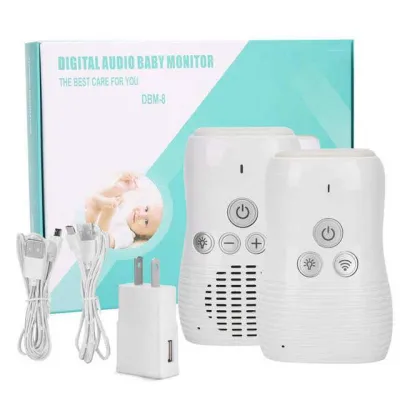
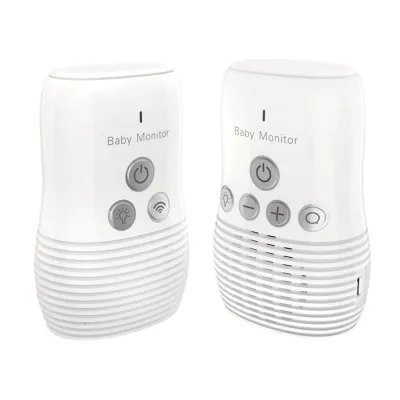
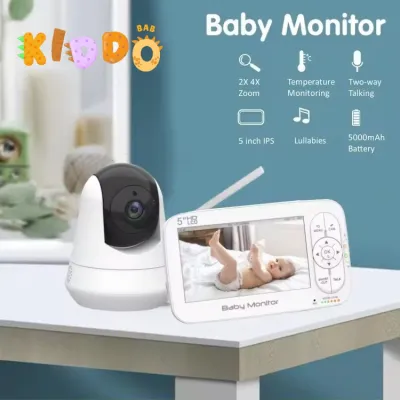
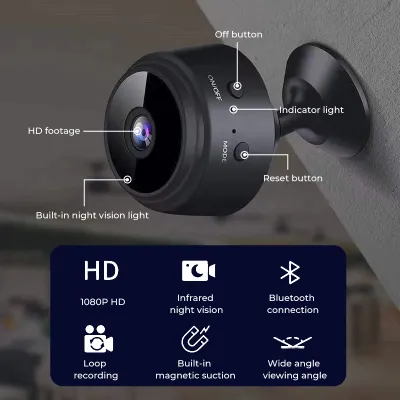

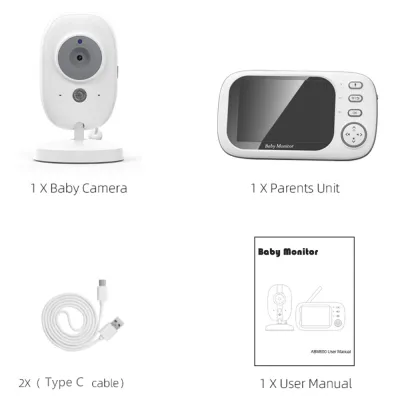
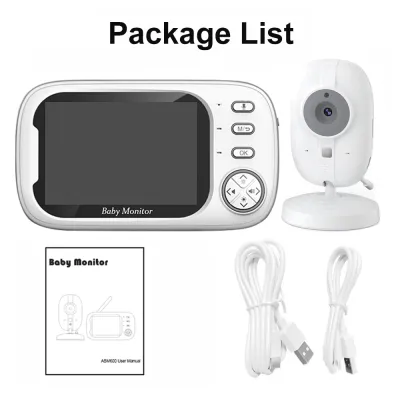

Prices are valid at publication and may change. Please refer to the product page for the latest price.
Video monitors combine this audio feed with a live camera stream, allowing you to see if your baby is simply shifting positions, self-soothing, or fully awake and needing attention. This visual confirmation can prevent you from entering the room unnecessarily, which often risks fully waking a baby who was just transitioning between sleep cycles.
The speaker function on a baby monitor with speaker serves as a vital tool for remote soothing. On both audio and video units, two-way talk allows you to press a button on the parent unit and speak directly to your baby, offering comfort with your voice before you even enter the room. Some models also use this speaker to play pre-loaded lullabies or white noise, which can be activated remotely to help settle a restless infant.
Audio-only monitors generally boast longer battery life because they do not have to power a screen or transmit heavy video data. They are typically plug-and-play devices with minimal setup, making them highly portable and easy to move from room to room. Video monitors, especially those with high-definition screens or Wi-Fi connectivity, require more power, frequent charging, and a more complex setup process, though they offer a much richer set of visual data.
Evaluating Your Nursery Needs and Environment
The physical structure of your home heavily influences monitor performance. In many Filipino households, interior walls are constructed from solid concrete or hollow blocks, which can severely degrade radio frequency (RF) signals. If your nursery is on a different floor or separated by multiple concrete walls, a standard RF monitor might struggle, making signal strength and transmission range a primary concern.

Consider how you prefer to monitor your baby at night. Some parents prefer to sleep in a dark room and only want to be awakened by clear sound alerts using sound activation or Voice-Activated (VOX) mode. Others experience anxiety and prefer to glance at a screen with infrared night vision to check if the baby is sleeping safely, verifying their sleeping position without turning on the nursery lights.
Budget is a major deciding factor. Standard audio-only monitors are highly affordable, often costing under ₱1,500 to ₱3,000. In contrast, video monitors—especially those featuring dedicated high-resolution screens or smart Wi-Fi capabilities—can range from ₱4,000 to well over ₱10,000. You must decide if the visual feed justifies the additional financial investment for your family.
Privacy is another critical aspect. Traditional audio-only monitors and closed-loop video monitors use local radio frequencies to transmit data directly between the nursery unit and the parent unit, making them highly secure from external hacking. Wi-Fi-enabled video monitors connect to your home internet, allowing you to view the feed from anywhere via a smartphone app, but this convenience introduces potential cybersecurity risks that require careful network management.
Essential Features to Verify Before Buying
When shopping for a baby monitor with speaker, prioritize audio clarity. Look for models with background noise filtering to eliminate the hum of electric fans or air conditioners, which are common in tropical nurseries. Voice-Activated sensitivity settings are also crucial; they keep the monitor silent until a sound exceeds a set threshold, preventing minor background noises from waking you up.
If you opt for a video model, verify the camera’s resolution and the quality of its infrared night vision. Check whether the system uses a dedicated parent unit screen or relies on a smartphone app. App-based monitors offer flexibility but depend entirely on your home’s Wi-Fi stability, whereas dedicated screens offer a reliable, closed-loop connection.
Examine the speaker specifications. The speaker should have adjustable volume limits to prevent sudden, loud feedback that could startle your baby. Two-way talk latency, which is the delay between you speaking and the sound coming out of the monitor, should be minimal. Additionally, check if the speaker can play built-in lullabies or white noise, which can be controlled remotely.
Many modern monitors include built-in environmental sensors, such as room temperature or humidity indicators. In warm, humid climates, keeping track of the nursery’s temperature is helpful for ensuring your baby remains comfortable. Verify the accuracy and reliability of these sensors through product manuals and user reviews before relying on them.
Making the Final Decision: Which Type Fits You?
An audio-only monitor is the right choice if you prioritize a long-lasting battery, have a strict budget, prefer a simple plug-and-play setup, and want to minimize digital privacy risks. It is also ideal for parents who find constant video feeds distracting or anxiety-inducing and prefer to rely solely on clear sound alerts.
A video monitor is best if you want to visually confirm whether your baby is awake but quiet, monitor their physical safety, such as checking if a blanket is covering their face or if they have rolled over, and have the budget for premium features. It provides visual reassurance that can save you from making unnecessary trips into the nursery, which might accidentally wake a semi-sleeping baby.
Regardless of the type you choose, always verify your home’s layout and potential signal interference first. Check the manufacturer’s stated transmission range and frequency band. If your home has thick concrete walls, look for monitors known for strong signal penetration or those that offer range extenders.
Safe Setup and Daily Usage Guidelines
Physical safety is paramount when installing any baby monitor. Always place the camera or microphone unit at a safe distance from the crib—typically at least three feet or one meter away. Ensure all power cords are securely fastened and completely out of your baby’s reach to prevent any risk of strangulation or pulling the device down.
When using the two-way talk feature, set the speaker volume to a moderate, gentle level. A sudden, loud voice blasting through the monitor speaker can terrify a sleeping baby and potentially harm their sensitive hearing. Test the volume level yourself while standing in the nursery before using it to soothe your baby remotely.
Establish a regular routine for maintaining your monitoring system. Check the manufacturer’s website periodically for safety recall notices and inspect all physical cables for signs of wear or damage. If you use a smart, Wi-Fi-enabled monitor, regularly update the device’s firmware to ensure you have the latest security patches and performance improvements.
Frequently Asked Questions (FAQ)
Can I use a baby monitor speaker to play lullabies?
Yes, many baby monitors with speakers include a built-in feature to play pre-loaded lullabies, white noise, or nature sounds. However, this is not a universal feature on all models. You should carefully check the product specifications or user manual to verify if the device supports remote audio playback or if the speaker is strictly limited to two-way voice communication.
Do audio-only monitors work through thick walls?
Audio-only monitors generally handle physical obstacles better than video monitors because audio data requires much less bandwidth. However, thick concrete walls, metal framing, and brick can still significantly degrade standard radio frequency signals. To ensure reliable performance, verify the manufacturer’s stated indoor transmission range and look for models that feature signal strength indicators or use DECT technology for better penetration.
Is a Wi-Fi video monitor safe from hacking?
No internet-connected device is entirely immune to security risks, but you can significantly secure a Wi-Fi video monitor by practicing good cybersecurity hygiene. Always change the default manufacturer password to a strong, unique password immediately upon setup. Enable two-factor authentication if the app supports it, keep your home Wi-Fi network secure, and regularly update the monitor’s firmware to protect against known vulnerabilities.
Community discussion
Share your experience or ask a question. Comments are reviewed before publication.